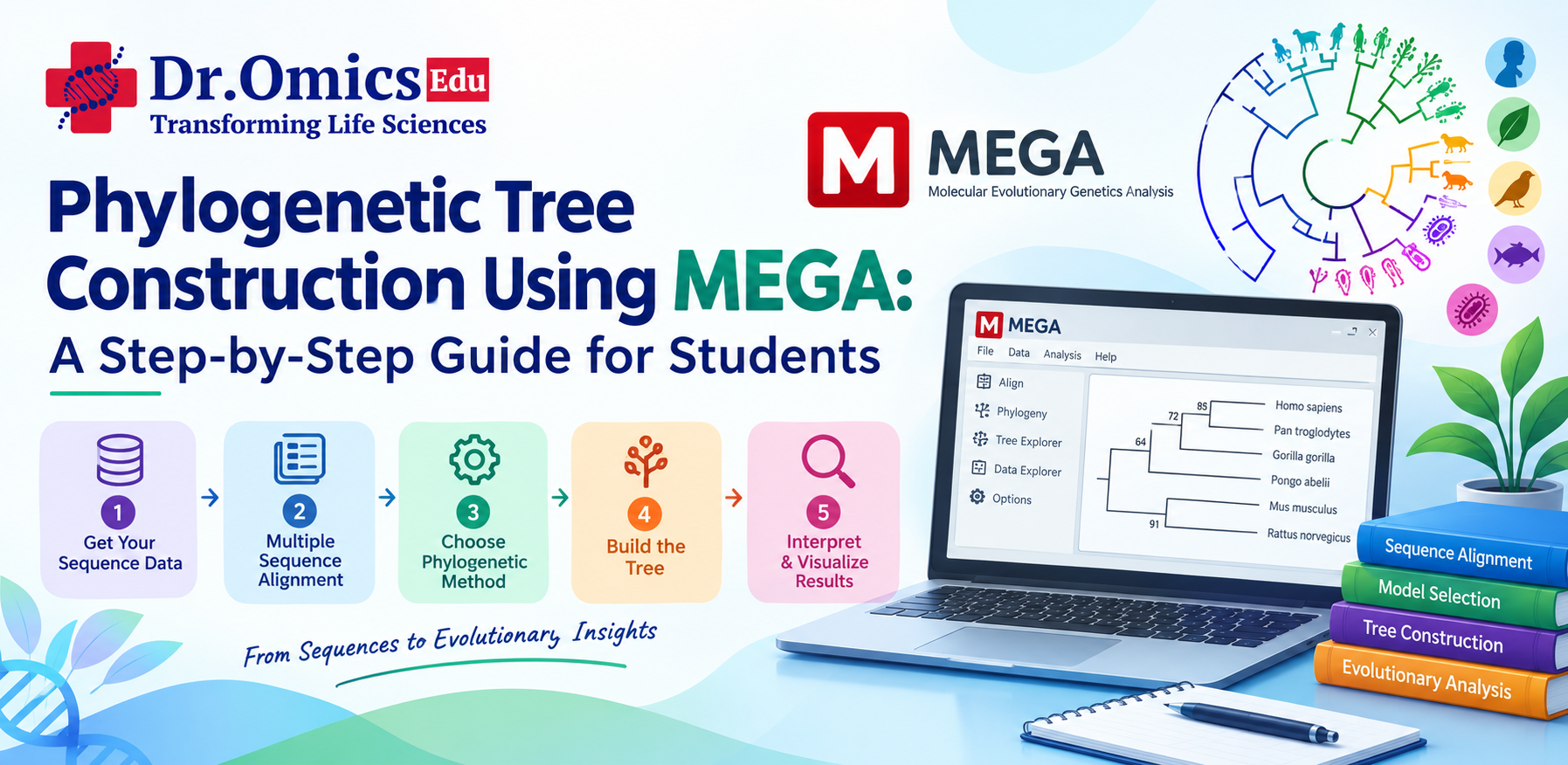
Phylogenetic Tree Construction Using MEGA: A Step-by-Step Guide for Students
Dr. Omics Edu Team · · Updated
Understanding evolutionary relationships is an important part of modern biology and bioinformatics. Researchers use molecular sequences to investigate how genes, proteins, and organisms are related through evolution. One of the most useful approaches for studying these relationships is phylogenetic analysis.
For students beginning their bioinformatics journey, MEGA (Molecular Evolutionary Genetics Analysis) provides an accessible platform for performing sequence alignment, evolutionary analysis, and phylogenetic tree construction without requiring extensive programming knowledge.
In this guide, we will explore the complete process of phylogenetic tree construction using MEGA, from collecting biological sequences to interpreting evolutionary relationships and evaluating tree reliability through bootstrap analysis.
What Is a Phylogenetic Tree?
A phylogenetic tree is a diagram that represents the inferred evolutionary relationships among biological sequences, organisms, or groups of organisms.
These relationships can be studied using:
- DNA sequences
- RNA sequences
- Protein sequences
- Gene sequences
- Whole-genome data
- Molecular markers
A phylogenetic tree consists of branches, nodes, and tips.
The tips, also called terminal nodes, represent the sequences or organisms included in the analysis. Internal nodes represent inferred common ancestors, while branches describe the relationships between different groups.
For example, if researchers compare the same gene from humans, chimpanzees, gorillas, and other mammals, a phylogenetic tree can help investigate the evolutionary relationships among these sequences.
However, a phylogenetic tree is an inference based on molecular data and analytical assumptions. It should not automatically be considered a complete or unquestionable representation of evolutionary history.
Why Is Phylogenetic Analysis Important in Bioinformatics?
Phylogenetic analysis is widely used in molecular biology, genetics, microbiology, biotechnology, and evolutionary research.
1. Studying evolutionary relationships
Phylogenetic analysis helps researchers investigate how organisms or biological sequences may be related through common ancestry.
2. Comparing homologous genes
Researchers can compare the same gene across different species to study sequence conservation and evolutionary divergence.
3. Understanding protein evolution
Protein sequences can be analyzed to identify conserved regions and investigate how proteins have changed over time.
Phylogenetic methods are used to study relationships among bacterial, archaeal, and other microbial sequences.
5. Studying infectious diseases
Phylogenetic analysis can help investigate relationships among pathogen sequences collected from different samples or locations.
6. Investigating gene families
Researchers can use phylogenetic trees to study gene duplication, divergence, and relationships among related genes.
7. Supporting comparative genomics
Phylogenetic analysis helps researchers compare genes and genomes across species and understand patterns of molecular evolution.
Because of these applications, learning phylogenetics is valuable for students interested in bioinformatics, biotechnology, molecular biology, and computational biology.
What Is MEGA Software?
MEGA stands for Molecular Evolutionary Genetics Analysis.
It is software designed for studying molecular evolution and performing evolutionary analysis using DNA, RNA, and protein sequences.
MEGA provides a graphical interface that allows users to perform several important analyses, including:
- DNA and protein sequence analysis
- Multiple sequence alignment
- Evolutionary distance calculation
- Phylogenetic tree construction
- Evolutionary model selection
- Neighbor-Joining analysis
- Maximum Parsimony analysis
- Maximum Likelihood analysis
- Bootstrap analysis
- Tree visualization
One of the main advantages of MEGA is that students can perform many analyses through graphical menus instead of writing extensive programming scripts.
This makes a MEGA software tutorial a useful starting point for students learning molecular evolution and computational biology.
The exact menus and available features may differ between MEGA versions, so students should always refer to the documentation for the version they are using.
Understanding the Phylogenetic Analysis Workflow
A typical phylogenetic analysis involves several important stages.
The general workflow is:
Sequence collection → Sequence preparation → Multiple sequence alignment → Alignment inspection → Evolutionary model selection → Tree construction → Bootstrap analysis → Tree visualization → Biological interpretation
Each step contributes to the quality of the final analysis.
For example, even if a researcher uses an advanced tree-building method, the results may still be unreliable if the input sequences are unrelated or incorrectly aligned.
Therefore, phylogenetic analysis should be treated as a complete workflow rather than simply generating a tree.
Step 1: Collect Biological Sequences
The first step in phylogenetic tree construction is collecting suitable biological sequences.
Suppose you want to study the evolutionary relationships of a particular gene across different mammalian species.
You may collect sequences from:
- Human
- Chimpanzee
- Gorilla
- Mouse
- Rat
These sequences should represent comparable biological regions.
For example, if you are studying the evolution of a particular protein-coding gene, the sequences should correspond to that gene or an appropriate homologous region.
What Are Homologous Sequences?
Homologous sequences are DNA, RNA, or protein sequences that share a common evolutionary origin.
Homology may arise through:
- Speciation, producing orthologous genes in different species.
- Gene duplication, producing paralogous genes within or across species.
Understanding the type of relationship between sequences is important because comparing unrelated sequences can produce biologically meaningless results.
Where Can Students Obtain Sequences?
Students can retrieve sequences from public biological databases such as:
- NCBI GenBank
- NCBI RefSeq
- Ensembl
- UniProt
- EMBL-EBI databases
For a beginner-level practical, students should start with a small number of well-characterized sequences.
Step 2: Prepare the Sequence File
After collecting the sequences, they should be saved in a suitable format.
One of the most commonly used formats is FASTA.
A FASTA file contains a sequence identifier followed by the biological sequence.
For example:
>Human
ATGCGTACGTAGCTAGCTAG
>Chimpanzee
ATGCGTACGTAGCTAGTTAG
>Gorilla
ATGCGTACGTAGCTAGCTAG
The line beginning with > is the sequence header.
The following lines contain the nucleotide sequence.
Protein sequences can also be stored in FASTA format.
For example:
>Human_Protein
MKTLLVAGAAAG...
Before importing the file into MEGA, students should check the following:
- Sequence names should be meaningful and unique.
- All sequences should represent comparable biological regions.
- The sequences should be in the correct orientation when required.
- Unrelated sequences should not be included.
- Poor-quality or inappropriate sequences should be removed.
- Ambiguous bases or amino acids should be examined.
Why Is Sequence Selection Important?
Phylogenetic methods compare molecular characters, such as nucleotide or amino-acid positions.
If the sequences do not share a meaningful evolutionary relationship, the resulting tree may not answer the intended biological question.
For example, comparing a human insulin gene with an unrelated bacterial enzyme would not be appropriate for studying the evolutionary history of the insulin gene.
Step 3: Open the Sequences in MEGA
After preparing the FASTA file, launch MEGA.
Depending on the version, the software may provide options such as:
- Opening an existing alignment
- Creating a new alignment
- Importing sequence data
- Opening a sequence file
To begin a new analysis, import the prepared sequence file.
MEGA will display the sequences in its alignment or sequence-analysis interface.
At this stage, students should confirm that:
- All expected sequences are present.
- Sequence names are correct.
- The sequences are DNA, RNA, or protein sequences as intended.
- No sequence has been accidentally omitted or duplicated.
It is important to understand that importing sequences does not automatically produce a phylogenetic tree. The sequences must generally be aligned before many tree-building analyses can be performed.
Step 4: Perform Multiple Sequence Alignment
Multiple sequence alignment is one of the most important stages of phylogenetic analysis.
The purpose of alignment is to arrange sequences so that positions sharing a common evolutionary origin are placed in corresponding columns.
For example:
Sequence A ATGCTAGCTA
Sequence B ATGCTAGTTA
Sequence C ATGCTAGTTA
Sequence D ATGCCAGTTA
Each column represents positions being compared across the sequences.
The alignment helps researchers identify:
- Conserved positions
- Variable positions
- Nucleotide substitutions
- Insertions
- Deletions
- Regions of sequence similarity
MEGA supports alignment workflows involving tools such as ClustalW and MUSCLE, depending on the version and configuration.
These tools help arrange sequences according to their similarities and differences.
Why Is Sequence Alignment Important?
Consider two sequences:
Sequence A ATGCTAGCTA
Sequence B ATGCTAGTA
If a deletion has occurred in one sequence, a gap may be introduced during alignment:
Sequence A ATGCTAGCTA
Sequence B ATGCTAG-TA
The gap represents a possible insertion or deletion event.
Alignment allows the analysis to compare corresponding positions more appropriately.
However, alignment is not always straightforward. Closely related sequences are generally easier to align, while highly divergent sequences may contain regions where homology is uncertain.
Poorly aligned regions can introduce incorrect evolutionary signals and influence the resulting tree.
Therefore, sequence alignment bioinformatics is a fundamental skill that students must understand before attempting phylogenetic tree construction.
Step 5: Inspect and Edit the Alignment
After performing multiple sequence alignment, students should carefully inspect the results.
MEGA allows users to examine the alignment and, depending on the workflow, make necessary adjustments.
Important features to check include:
Conserved regions
These are positions that remain similar across multiple sequences.
They may indicate functional or structural importance, although conservation alone does not establish a particular biological function.
Variable regions
These are positions that differ among sequences.
Such differences may provide useful information for distinguishing evolutionary relationships.
Gaps
Gaps may represent insertions or deletions.
However, large numbers of gaps can also indicate poor alignment or unsuitable sequences.
Ambiguous positions
Nucleotide ambiguity codes or uncertain amino-acid positions may reduce the information available for analysis.
Incomplete sequences
Sequences that cover only a small portion of the target region may affect the analysis.
Students should investigate whether incomplete sequences are appropriate for their research question.
Why Should Alignment Quality Be Checked?
A phylogenetic tree is constructed using information from the alignment.
If the alignment incorrectly places unrelated positions together, the tree-building method may interpret these errors as evolutionary differences or similarities.
For this reason, researchers may remove poorly aligned regions or exclude inappropriate sequences.
However, trimming should be performed carefully because excessive removal of data can also reduce the information available for phylogenetic analysis.
Step 6: Select a Phylogenetic Tree-Building Method
MEGA supports several methods for constructing phylogenetic trees.
The most commonly discussed methods include:
Neighbor-Joining
Neighbor-Joining, or NJ, is a distance-based phylogenetic method.
It begins by calculating evolutionary distances between sequences and then constructs a tree based on those distances.
Neighbor-Joining is relatively fast and is useful for introductory exercises and exploratory analyses.
However, it depends on the quality of the distance estimates and the assumptions used to calculate them.
Maximum Parsimony
Maximum Parsimony attempts to identify the tree that requires the fewest evolutionary changes to explain the observed sequence data.
This method is based on the principle of minimizing the number of inferred changes.
Although it is conceptually simple, Maximum Parsimony can be affected by factors such as unequal evolutionary rates among lineages and certain patterns of sequence evolution.
Maximum Likelihood
Maximum Likelihood evaluates how well different possible trees explain the observed sequence data under a specified evolutionary model.
It considers the probability of observing the data given:
- A particular tree
- An evolutionary model
- Model parameters
Maximum Likelihood is widely used in molecular phylogenetic research.
It is computationally more demanding than some distance-based approaches but can provide a sophisticated framework for evolutionary inference.
Step 7: Select an Evolutionary Model
An evolutionary model describes assumptions about how nucleotide or amino-acid substitutions occur over time.
For example, different nucleotide substitution models may make different assumptions about:
- The frequency of nucleotide bases
- Whether substitution rates are equal
- Whether transitions and transversions occur at different rates
- Whether evolutionary rates vary among sites
Some commonly encountered nucleotide substitution models include:
- Jukes-Cantor
- Kimura 2-Parameter
- Hasegawa-Kishino-Yano
- General Time Reversible
For protein sequences, different amino-acid substitution models may be used.
Why Is Model Selection Important?
Different evolutionary models may produce different estimates of evolutionary distance and tree topology.
A model that does not adequately describe the sequence data may influence the resulting phylogenetic inference.
MEGA provides tools for comparing evolutionary models using statistical criteria, depending on the type of analysis and software version.
Students should understand that model selection is not simply choosing an option randomly. It is part of the scientific reasoning behind a phylogenetic analysis.
Step 8: Construct the Phylogenetic Tree in MEGA
Once the alignment and analytical settings are ready, students can construct a phylogenetic tree.
A typical workflow for a Maximum Likelihood analysis may involve selecting an option similar to:
Phylogeny → Construct/Test Maximum Likelihood Tree
The exact menu names may vary between MEGA versions.
Depending on the method selected, MEGA may ask users to specify:
- The evolutionary model
- The substitution model parameters
- The treatment of gaps and missing data
- The number of bootstrap replications
- Other analysis settings
After the settings are confirmed, MEGA processes the alignment and generates a phylogenetic tree.
A simplified tree may look like this:
┌── Human
┌───┤
│ └── Chimpanzee
┌───┤
│ └── Gorilla
─────┤
│ ┌── Mouse
└───────┤
└── Rat
This example illustrates a possible branching arrangement. It is not an actual result from a biological dataset.
Step 9: Understand Tree Topology
Tree topology refers to the branching arrangement of a phylogenetic tree.
It describes which sequences are grouped together and how different groups are related.
For example, if Human and Chimpanzee appear as sister taxa, the tree indicates that they share a more recent inferred common ancestor with each other than either does with the other taxa shown in that particular tree.
What Are Sister Taxa?
Sister taxa are two groups that share an immediate common ancestor in a particular phylogenetic tree.
They may represent:
- Two species
- Two genes
- Two protein sequences
- Two larger groups of organisms
The term does not necessarily mean that the organisms are identical or that they have the same biological characteristics.
It describes their inferred position in the tree.
What Are Internal Nodes?
Internal nodes represent inferred ancestral relationships.
They indicate where branches join and where common ancestors are inferred within the tree.
The exact biological meaning of an internal node depends on the type of phylogenetic analysis and the assumptions used.
Step 10: Understand Rooted and Unrooted Trees
Phylogenetic trees may be rooted or unrooted.
Unrooted Trees
An unrooted tree represents relationships among sequences without specifying the direction of evolutionary time.
It shows how the sequences are connected but does not identify a particular ancestral sequence or lineage.
Rooted Trees
A rooted tree provides a direction for interpreting evolutionary relationships.
It allows researchers to discuss ancestral and descendant lineages within the context of the chosen root.
What Is an Outgroup?
An outgroup is a taxon or sequence that is related to the study group but is generally considered to fall outside the main group being investigated.
Researchers may use an appropriate outgroup to help root a phylogenetic tree.
For example, when studying a group of closely related species, a more distantly related species may be selected as an outgroup.
Outgroup selection should be based on biological knowledge and should be appropriate for the dataset.
Step 11: Perform Bootstrap Analysis
One of the most important concepts in phylogenetics is bootstrap analysis.
A phylogenetic tree represents an inference from available data. Researchers therefore need ways to assess how consistently the data support particular branches.
Bootstrap analysis is a commonly used method for evaluating branch support.
How Does Bootstrap Analysis Work?
In a typical sequence bootstrap analysis:
- The aligned sequence positions are resampled with replacement.
- A new alignment is generated from the resampled positions.
- A phylogenetic tree is constructed from that resampled alignment.
- The process is repeated many times.
- The frequency with which a particular grouping appears is calculated.
For example, a researcher may select:
Bootstrap Replications = 1000
This means that the analysis generates 1000 resampled datasets and reconstructs trees from them, subject to the selected method and settings.
How Should Bootstrap Values Be Interpreted?
Suppose a phylogenetic tree displays a value of 95 near a particular branch.
This means that the corresponding grouping was recovered in approximately 95% of the bootstrap replicate trees under the specified analysis.
A higher bootstrap value generally indicates that the grouping is more consistently recovered through the resampling procedure.
However, a bootstrap value is not the same as the probability that a branch is historically correct.
For example:
- A high bootstrap value indicates strong resampling support under the selected analysis.
- A low bootstrap value indicates that the grouping may be sensitive to the resampled data.
- A high bootstrap value does not guarantee that the model, alignment, or sequence selection is correct.
Therefore, bootstrap analysis phylogenetics should be interpreted together with alignment quality, biological knowledge, and the selected evolutionary method.
Step 12: Visualize and Customize the Phylogenetic Tree
After constructing the tree, MEGA provides options for viewing and adjusting its appearance.
Depending on the version, students may be able to modify:
- Tree layout
- Taxon labels
- Branch display
- Bootstrap values
- Branch lengths
- Rooting
- Font size
- Tree orientation
Different layouts can make a tree easier to read.
For example, a rectangular tree may be suitable for a small number of sequences, while a circular layout may help display a larger dataset.
Students should remember that changing the visual layout does not necessarily change the underlying phylogenetic relationships.
Step 13: Understand Branch Lengths
Branch lengths in a phylogenetic tree may represent the amount of inferred evolutionary change.
For example, a longer branch may indicate that more sequence substitutions have been inferred along that branch under the selected model.
However, branch lengths do not always represent time.
Their interpretation depends on the type of tree and the analysis settings.
Students should distinguish between:
- Branch length: The amount of inferred change or another defined quantity.
- Branch support: The level of support for a particular grouping.
- Evolutionary time: The estimated time since divergence, which requires additional assumptions and analyses.
A standard phylogenetic tree should not automatically be interpreted as a time-calibrated evolutionary history.
Step 14: Compare Different Phylogenetic Methods
Students can improve their understanding by constructing trees using different methods.
For example, the same aligned dataset can be analyzed using:
- Neighbor-Joining
- Maximum Parsimony
- Maximum Likelihood
The resulting trees may show similar or different branching patterns.
Why Can Results Differ?
Different methods use different mathematical approaches and assumptions.
For example:
- Neighbor-Joining uses evolutionary distance information.
- Maximum Parsimony focuses on minimizing inferred changes.
- Maximum Likelihood evaluates the probability of the observed data under an evolutionary model.
Differences in model assumptions, alignment treatment, and data quality can influence the results.
If several methods produce similar relationships, this may provide additional evidence that those relationships are stable under the tested approaches.
However, agreement between methods does not automatically prove that a particular evolutionary history is correct.
Common Mistakes Students Should Avoid
1. Using unrelated sequences
Sequences should be selected according to a clear biological question.
Randomly combining unrelated genes can produce misleading results.
2. Skipping alignment inspection
A multiple sequence alignment should be examined before tree construction.
Incorrectly aligned regions may affect the resulting tree.
3. Using inappropriate or incomplete sequences
Sequences should cover comparable regions whenever possible.
Large differences in sequence coverage can complicate analysis.
4. Ignoring ambiguous positions
Ambiguous bases and amino acids may reduce the information available for phylogenetic inference.
Their treatment should be considered carefully.
5. Treating bootstrap values as absolute proof
Bootstrap values indicate resampling-based support, not certainty about evolutionary history.
6. Selecting evolutionary models randomly
Model selection should be based on the type of sequence data and the analytical method.
7. Assuming that every tree is rooted
A tree must be rooted appropriately before interpreting evolutionary direction or ancestry.
8. Interpreting visual distance incorrectly
The physical position of labels on a tree does not necessarily represent evolutionary distance.
Students should focus on topology and the meaning of branch lengths.
A Simple MEGA Practical for Students
A beginner-level practical can help students understand the complete workflow of phylogenetic analysis.
Practical Objective
To construct and interpret a phylogenetic tree using homologous DNA sequences in MEGA.
Practical Workflow
Step 1: Collect homologous DNA sequences from a public database.
Step 2: Save the sequences in FASTA format.
Step 3: Open MEGA and import the sequence file.
Step 4: Perform multiple sequence alignment using an available alignment tool.
Step 5: Inspect the alignment for gaps, ambiguous positions, and poorly aligned regions.
Step 6: Select a phylogenetic tree-building method.
Step 7: Select an appropriate evolutionary model when required.
Step 8: Construct the phylogenetic tree.
Step 9: Perform bootstrap analysis.
Step 10: Examine the tree topology and bootstrap values.
Step 11: Interpret the inferred relationships.
Step 12: Save or export the final tree.
This workflow can be used in a phylogenetic tree bootcamp or a practical session in a bioinformatics course.
How Phylogenetics Connects With Other Bioinformatics Skills
Phylogenetic analysis combines several important concepts in bioinformatics.
For example, a typical workflow may begin with sequence retrieval from NCBI.
The sequences are then stored in FASTA format and aligned using a multiple sequence alignment tool.
The resulting alignment is analyzed using an evolutionary model and a tree-building method.
Finally, the tree is visualized and interpreted.
This workflow connects the following skills:
- Biological database searching
- Sequence retrieval
- FASTA file handling
- Sequence alignment
- Evolutionary model selection
- Phylogenetic analysis
- Statistical interpretation
- Scientific visualization
By learning these concepts together, students can better understand how molecular data are converted into biological insights.
Who Should Learn Phylogenetics?
Phylogenetics is useful for students and researchers from several disciplines, including:
- Bioinformatics
- Biotechnology
- Microbiology
- Molecular biology
- Genetics
- Evolutionary biology
- Computational biology
- Life sciences
It is particularly useful for students who want to work with DNA sequences, protein sequences, microbial genomes, or comparative genomics datasets.
A beginner can start with a small number of sequences and gradually move toward more advanced analyses.
Why Learn Phylogenetics Using MEGA?
MEGA provides an accessible environment for learning molecular evolutionary analysis.
Students can explore the relationship between sequence differences and evolutionary relationships through a graphical interface.
Instead of learning only theoretical definitions, students can follow a practical workflow:
Sequence collection → Alignment → Model selection → Tree construction → Bootstrap analysis → Interpretation
This approach helps students understand both the computational steps and the biological reasoning involved in phylogenetics.
Learning MEGA can also prepare students for more advanced tools and workflows used in evolutionary genomics and computational biology.
Advanced Topics After Learning MEGA
Once students understand the basic workflow, they can explore more advanced topics, including:
- Advanced multiple sequence alignment
- Alignment trimming
- Evolutionary model testing
- Maximum Likelihood analysis
- Bayesian phylogenetics
- Molecular clock analysis
- Time-calibrated phylogenies
- Gene trees and species trees
- Ortholog and paralog analysis
- Gene family evolution
- Phylogenomics
- Pathogen genome phylogenetics
- Comparative evolutionary analysis
These topics can be introduced gradually through a structured phylogenetic analysis course or advanced bioinformatics training program.
Conclusion
Phylogenetic tree construction is an important skill in bioinformatics that combines molecular biology, sequence alignment, evolutionary theory, statistics, and computational analysis.
MEGA provides students with a practical and accessible platform for learning this process. By working through sequence collection, multiple sequence alignment, evolutionary model selection, tree construction, bootstrap analysis, and tree interpretation, students can develop a strong foundation in molecular phylogenetics.
The most important lesson is that constructing a phylogenetic tree is not simply about generating a diagram. Students must understand the quality of their sequences, the accuracy of their alignment, the assumptions of their chosen method, and the meaning of bootstrap support.
With consistent practice and real biological datasets, students can build the skills needed to progress from phylogenetics for beginners to more advanced evolutionary and computational biology research.
Whether you are participating in a phylogenetic tree bootcamp, pursuing a phylogenetic analysis course, or planning to learn phylogenetics online, mastering MEGA can be a valuable step toward developing practical bioinformatics expertise.
