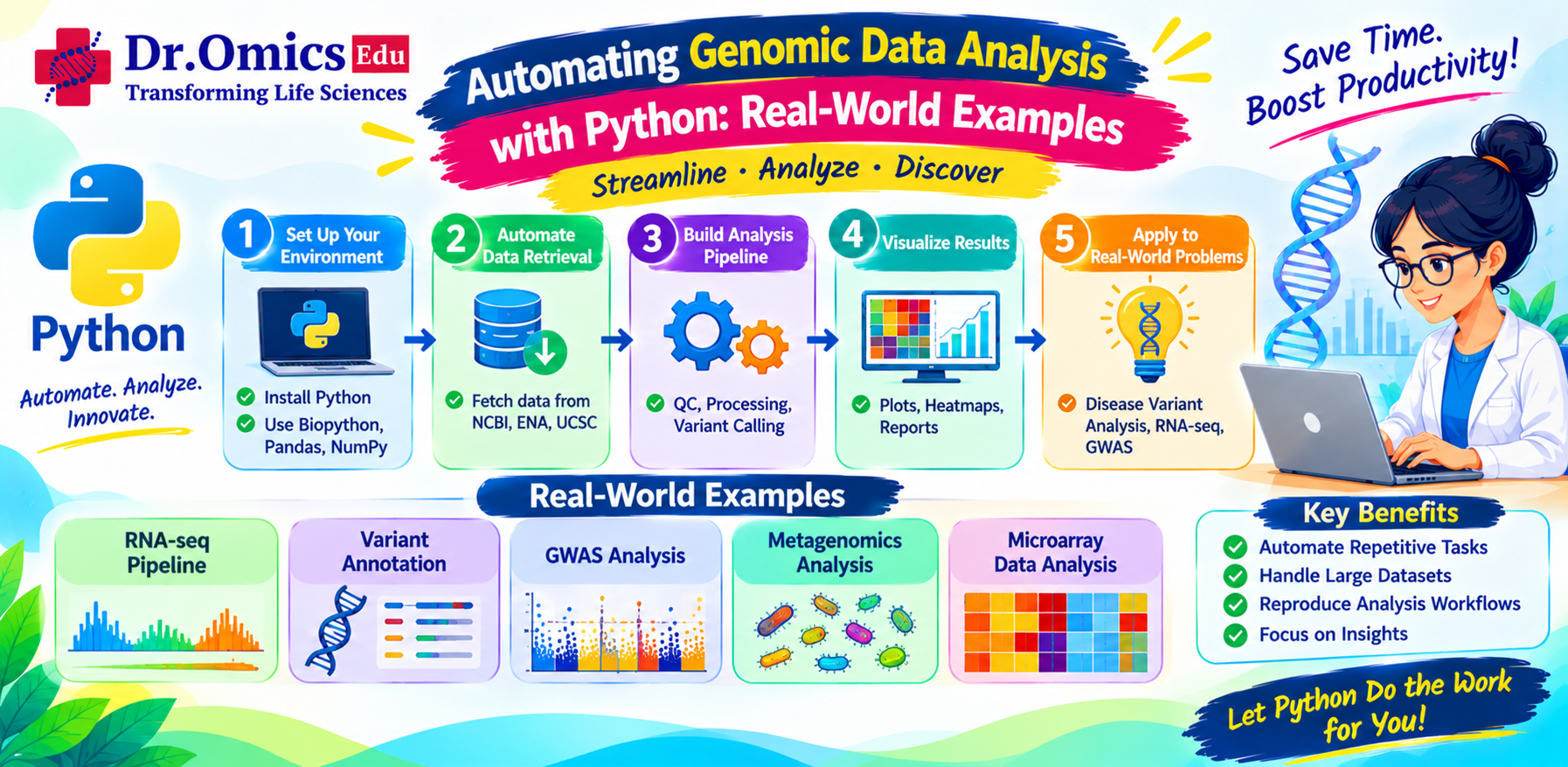
Automating Genomic Data Analysis with Python: Real-World Examples
Dhanshree Pujari ·
Genomic data analysis involves processing large volumes of biological data, and many of these tasks require repetitive steps such as reading sequence files, filtering data, extracting information, generating reports, and organizing results. Performing these tasks manually can be time-consuming and prone to errors, especially when working with multiple sequencing samples.
Python has become one of the most widely used programming languages for automating bioinformatics workflows. With its extensive libraries and simple syntax, researchers can create scripts to handle repetitive tasks, process genomic data, and build efficient analysis workflows.
In this blog, we will explore how Python can be used to automate genomic data analysis, along with practical examples of tasks that bioinformatics researchers can automate.
Why Is Automation Important in Genomic Data Analysis?
Next-generation sequencing (NGS) experiments can generate millions of reads per sample. Analysing this data often involves running multiple tools and performing repetitive operations.
For example, a DNA sequencing workflow may involve:
- Checking raw sequencing quality.
- Removing adapters and low-quality reads.
- Aligning reads to a reference genome.
- Processing alignment files.
- Identifying genetic variants.
- Generating analysis reports.
When these tasks are repeated across dozens or hundreds of samples, manually executing commands becomes inefficient.
Automation helps researchers:
- Reduce repetitive manual work.
- Minimize human errors during data processing.
- Process multiple samples consistently.
- Organize files and outputs automatically.
- Improve reproducibility of analysis.
- Combine multiple bioinformatics tools into a single workflow.
Python scripts for NGS data can help researchers perform these tasks efficiently without manually executing every step.
How Python Is Used for Genomic Data Automation
Python provides several libraries and capabilities that make genomic data analysis automation easier.
| Python library or module | Purpose |
| Biopython | Working with DNA, RNA, protein sequences and biological file formats |
| Pandas | Organizing and analysing tabular genomic data |
| NumPy | Numerical computations |
| Subprocess | Executing external bioinformatics tools |
| Glob | Finding files matching specific patterns |
| OS | Managing files, directories and operating system tasks |
| Matplotlib | Generating graphs and visualizations |
Python can also be used to integrate tools such as FastQC, fastp, BWA, SAMtools and other NGS software into automated pipelines.
Real-World Examples of Python Automation in Genomics
1. Automatically Reading Multiple FASTA Files
FASTA files contain biological sequences and their identifiers. Researchers may need to extract sequence lengths, identify sequences, or summarize information across multiple files.
Instead of manually opening every FASTA file, Python can process all files in a directory.
from Bio import SeqIO
import glob
files = glob.glob("*.fasta")
for file in files:
for record in SeqIO.parse(file, "fasta"):
print(file, record.id, len(record.seq))
What does this script do?
- glob.glob("*.fasta") finds FASTA files in the current directory.
- SeqIO.parse() reads the sequences from the FASTA file.
- record.id retrieves the sequence identifier.
- len(record.seq) calculates the sequence length.
This approach can be useful when analysing assembled genomes, transcriptomes, or collections of gene sequences.
2. Automating FASTQ Quality Control Using Python
FASTQ files contain sequencing reads and their associated quality scores. Quality control is an important first step in NGS analysis.
Researchers commonly use FastQC to assess sequencing quality. Python can automate the execution of FastQC across multiple samples.
import glob
import subprocess
fastq_files = glob.glob("*.fastq.gz")
for file in fastq_files:
subprocess.run(["fastqc", file], check=True)
print("FastQC analysis completed.")
What does this script do?
- glob.glob() identifies all FASTQ files ending with .fastq.gz.
- subprocess.run() executes the FastQC command for each file.
- check=True raises an error if a command fails instead of silently continuing.
This makes it easier to run quality control on multiple sequencing samples without manually entering commands for each file.
3. Automating Adapter Trimming for Multiple NGS Samples
Sequencing reads may contain adapter sequences or low-quality bases that need to be removed before downstream analysis.
Tools such as fastp can perform adapter trimming, quality filtering and other preprocessing operations.
Python can automate fastp execution for multiple paired-end sequencing samples.
import subprocess
samples = ["Sample1", "Sample2", "Sample3"]
for sample in samples:
subprocess.run([
"fastp",
"-i", f"{sample}_R1.fastq.gz",
"-I", f"{sample}_R2.fastq.gz",
"-o", f"{sample}_clean_R1.fastq.gz",
"-O", f"{sample}_clean_R2.fastq.gz",
"-h", f"{sample}_report.html",
"-j", f"{sample}_report.json"
], check=True)
How does this work?
- The list samples contains sample identifiers.
- -i and -I specify the input forward and reverse FASTQ files.
- -o and -O specify the cleaned output files.
- -h generates an HTML report.
- -j generates a JSON report.
The script automatically processes each sample and generates cleaned FASTQ files along with quality reports.
In a real project, the sample list could be generated dynamically from the input directory rather than manually defined.
4. Automating DNA Sequence Analysis Using Biopython
Python can also perform basic DNA sequence analysis without relying on external command-line tools.
For example, researchers may want to calculate GC content, identify sequence lengths, and generate a summary for multiple DNA sequences.
from Bio import SeqIO
from Bio.SeqUtils import gc_fraction
for record in SeqIO.parse("sequences.fasta", "fasta"):
sequence = record.seq
gc = gc_fraction(sequence) * 100
print("Sequence:", record.id)
print("Length:", len(sequence))
print("GC Content:", round(gc, 2), "%")
What is GC content?
GC content represents the percentage of nucleotides in a DNA sequence that are either guanine (G) or cytosine (C).
GC content can provide useful information about genome composition, sequence characteristics and certain biological patterns.
This script automatically calculates GC content and sequence length for every sequence in the FASTA file.
5. Automating Variant Data Summarization from VCF Files
Variant Call Format (VCF) files contain information about genetic variants identified during sequencing analysis.
Researchers often need to extract variant positions, chromosome names, reference alleles, alternate alleles and quality values for further analysis.
Python can help automate the extraction and organization of this information.
import pandas as pd
vcf_file = "variants.vcf"
data = []
with open(vcf_file) as file:
for line in file:
if line.startswith("#"):
continue
fields = line.strip().split("\t")
data.append({
"Chromosome": fields[0],
"Position": fields[1],
"Reference": fields[3],
"Alternate": fields[4],
"Quality": fields[5]
})
df = pd.DataFrame(data)
df.to_csv("variant_summary.csv", index=False)
print("Variant summary generated.")
What does this script do?
- Reads the VCF file line by line.
- Skips header lines beginning with #.
- Extracts chromosome, position, reference allele, alternate allele and quality.
- Creates a Pandas DataFrame.
- Saves the extracted information into a CSV file.
This example is suitable for a basic VCF file with simple records. For complex VCF data, including multiallelic variants, genotype information and annotations, libraries such as cyvcf2 or pysam are more suitable.
6. Automating the Execution of an NGS Pipeline
One of the most practical applications of Python for genomic data is automating the execution of multiple bioinformatics tools.
A researcher may need to run quality control, read trimming, alignment and alignment sorting. Python can connect these tools and execute them in sequence.
A simplified example:
import subprocess
commands = [
["fastqc", "sample.fastq.gz"],
["fastp", "-i", "sample.fastq.gz",
"-o", "sample_clean.fastq.gz"],
["bwa", "mem", "reference.fa",
"sample_clean.fastq.gz"],
]
for command in commands:
subprocess.run(command, check=True)
This example illustrates how Python can launch external tools sequentially.
However, this is only a simplified demonstration. In an actual pipeline, BWA-MEM output would normally be redirected or piped into an appropriate SAM/BAM processing tool, and paired-end reads, sample-specific filenames, resource allocation and output handling would need to be considered.
Python can be used to build more advanced workflows by integrating multiple tools, handling errors, managing directories, checking outputs and generating logs.
For larger workflows, researchers may also use workflow management systems such as Snakemake or Nextflow, which provide additional capabilities for dependencies, parallel execution, workflow tracking and reproducibility.
Python Libraries Commonly Used for Genomic Automation
Biopython
Biopython is a Python library designed for biological data analysis. It supports sequence manipulation, FASTA and GenBank file parsing, sequence translation, basic sequence statistics and other biological operations.
Pandas
Pandas is useful for working with structured genomic data such as gene expression matrices, variant summaries, metadata, annotation tables and differential expression results.
Subprocess
The subprocess module allows Python scripts to execute external command-line tools. It is particularly useful when automating bioinformatics software that is not available as a Python library.
Glob and OS
These modules help automate file handling, directory creation, file discovery and file organization. They are useful when processing large collections of sequencing files.
Challenges in Automating Genomic Data Analysis
Although automation improves efficiency, building reliable genomic workflows requires careful planning.
- File naming: Input files must be correctly identified and matched with the appropriate samples.
- Tool dependencies: Bioinformatics tools must be properly installed and configured.
- Error handling: Scripts should detect failed commands and avoid treating incomplete outputs as successful results.
- Resource management: Large genomic datasets require adequate memory, storage and CPU resources.
- Reproducibility: Tool versions, parameters, input files and workflow configurations should be documented.
- Data validation: Automated workflows should still include quality checks and biological interpretation.
Automation does not replace scientific judgment. It makes repetitive processing more efficient, but researchers must still evaluate whether the results are reliable and biologically meaningful.
Conclusion
Python has become an important programming language for automating genomic data analysis. From reading FASTA files and calculating GC content to processing FASTQ files, extracting variant information and integrating external bioinformatics tools, Python can simplify many repetitive tasks.
Learning Python automation can help bioinformatics researchers move beyond manually executing commands and develop more efficient, reproducible and scalable analysis workflows.
For students and researchers interested in NGS analysis, learning Python alongside commonly used bioinformatics tools can provide a strong foundation for working with real-world genomic datasets.
At Dr. Omics, developing practical programming and bioinformatics skills can help learners understand not only how individual tools work, but also how to connect them into workflows for real genomic research applications.
