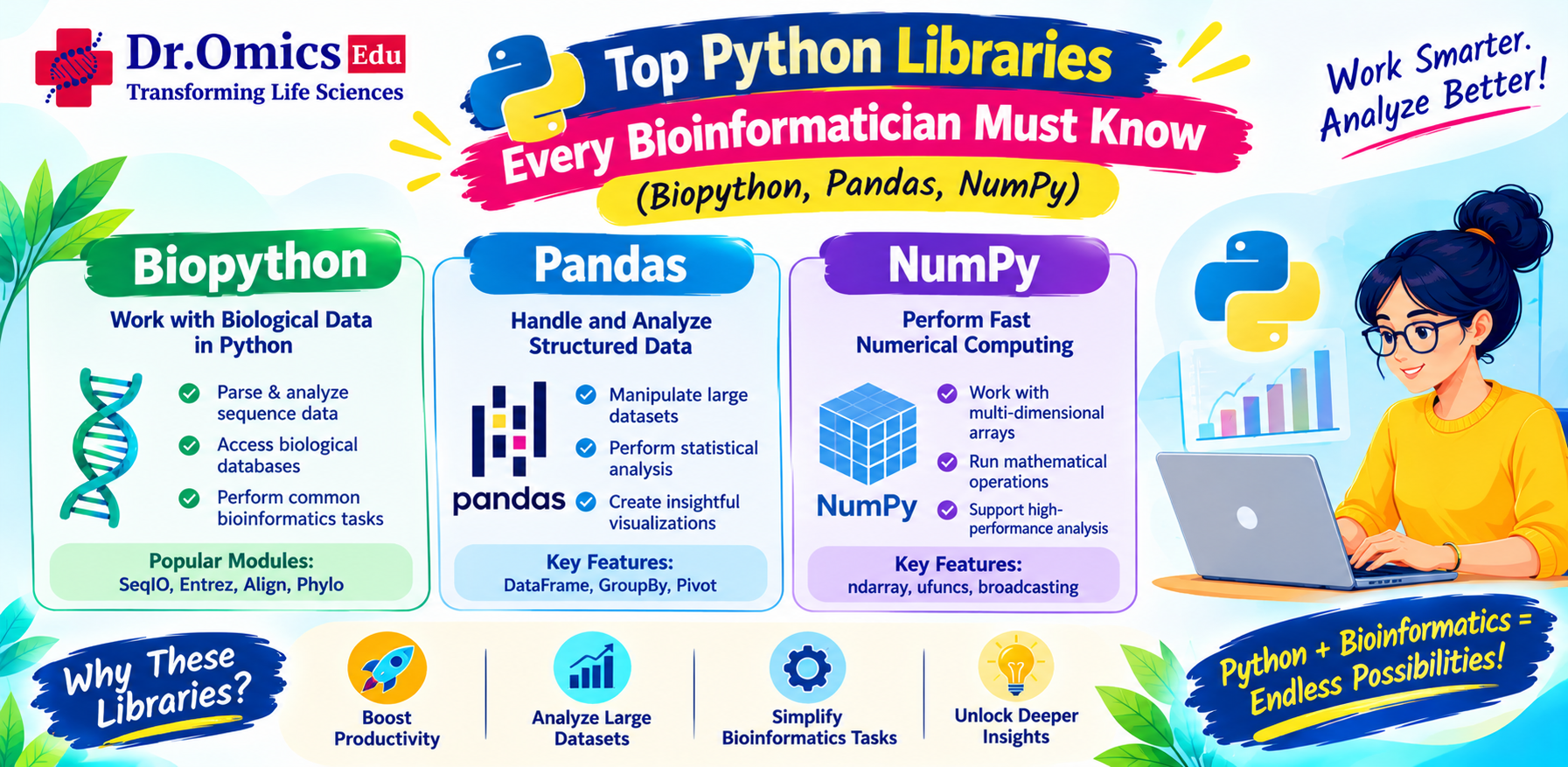
Top Python Libraries Every Bioinformatician Must Know: Biopython, Pandas, NumPy and More
Dr. Omics Edu Team ·
Introduction
Bioinformatics involves working with large amounts of biological data generated through DNA sequencing, RNA sequencing, genome annotation, protein analysis, and other high-throughput experiments. Processing and interpreting these datasets requires programming skills and efficient computational tools.
Python has become one of the most popular programming languages in bioinformatics because of its simple syntax, extensive library ecosystem, and ability to automate complex data analysis tasks.
Instead of writing every function from scratch, bioinformaticians can use specialized Python libraries to handle biological sequences, process gene expression datasets, perform numerical calculations, create visualizations, and develop analysis pipelines.
Some of the most important libraries include Biopython, Pandas, and NumPy. Other useful libraries, such as Matplotlib, SciPy, scikit-learn, and Scanpy, extend Python's capabilities for biological research.
In this blog, we will explore the essential Python libraries for bioinformatics, understand their applications, and look at practical examples of how they can be used in biological data analysis.
1. Biopython – A Foundation for Biological Sequence Analysis
Biopython is an open-source Python package designed specifically for computational biology and bioinformatics. It provides tools for working with biological sequences, sequence files, alignments, and biological databases.
It is particularly useful for researchers working with DNA, RNA, and protein sequences.
Major applications of Biopython
- Reading and writing FASTA and FASTQ files.
- Manipulating DNA, RNA, and protein sequences.
- Performing sequence translation.
- Accessing biological databases.
- Working with sequence alignments.
- Analyzing sequence composition.
Biopython tutorial: Practical examples
Example 1: Creating a DNA sequence
from Bio.Seq import Seq
dna = Seq("ATGGCCATTGTAATGGGCCGCTGAAAGGGTGCCCGATAG")
print(dna)
print("Length:", len(dna))
This creates a DNA sequence object and calculates its length.
Example 2: Finding the complementary sequence
from Bio.Seq import Seq
dna = Seq("ATGGCCATTGTA")
print("Complement:", dna.complement())
print("Reverse complement:", dna.reverse_complement())
This is useful when working with DNA sequences and their opposite strands.
Example 3: Translating DNA into protein
from Bio.Seq import Seq
dna = Seq("ATGGCCATTGTAATGGGCCGC")
protein = dna.translate()
print(protein)
The translation function converts a nucleotide sequence into its corresponding amino acid sequence using the selected genetic code.
Example 4: Reading a FASTA file
from Bio import SeqIO
for record in SeqIO.parse("sequences.fasta", "fasta"):
print("ID:", record.id)
print("Sequence:", record.seq)
print("Length:", len(record.seq))
This reads multiple sequences from a FASTA file and displays their identifiers, sequences, and lengths.
Why is Biopython important?
Biopython simplifies many common sequence-analysis tasks. It is especially useful for automating FASTA processing, sequence translation, sequence manipulation, and database-related activities.
For anyone beginning Python programming in bioinformatics, Biopython is one of the most valuable libraries to learn.
2. Pandas – Handling Biological Data and Gene Expression Tables
Pandas is a Python library used for data manipulation and analysis. It provides powerful data structures, particularly DataFrames, which organize information into rows and columns.
In bioinformatics, biological datasets are frequently stored in CSV, TSV, and Excel formats. Examples include gene expression matrices, differential expression results, sample metadata, and variant annotation tables.
Pandas for biological data makes it easier to read, filter, organize, and analyze these datasets.
Major applications of Pandas
- Reading CSV, TSV, and Excel files.
- Filtering genes based on expression values.
- Managing sample metadata.
- Cleaning missing or inconsistent values.
- Combining biological datasets.
- Summarizing gene expression results.
Practical examples
Example 1: Creating a gene expression DataFrame
import pandas as pd
data = {
"Gene": ["TP53", "BRCA1", "EGFR", "MYC"],
"Control": [10, 15, 8, 20],
"Treatment": [25, 12, 30, 35]
}
df = pd.DataFrame(data)
print(df)
This creates a simple gene expression table containing gene names and expression values for two experimental conditions.
Example 2: Reading a gene expression file
import pandas as pd
df = pd.read_csv("gene_expression.csv")
print(df.head())
The read_csv() function loads the data into a DataFrame.
Example 3: Filtering highly expressed genes
high_expression = df[df["Treatment"] > 20]
print(high_expression)
This selects genes with treatment expression values greater than 20.
Example 4: Calculating fold change
df["Fold_Change"] = df["Treatment"] / df["Control"]
print(df)
This calculates the simple treatment-to-control expression ratio.
For actual differential expression analysis, researchers should use appropriate statistical methods and normalization procedures rather than relying only on raw expression ratios.
Why is Pandas important?
Pandas is especially useful when working with large biological result tables. It allows researchers to quickly organize and explore data before applying statistical analysis or visualization methods.
It is widely used in RNA-seq result processing, variant annotation, clinical datasets, and genomics research.
3. NumPy – Numerical Computing for Genomics Data
NumPy is a fundamental Python library for numerical computing. It provides efficient multidimensional arrays and mathematical functions that are useful for processing large datasets.
In bioinformatics, numerical data appears in several forms, including gene expression matrices, sequencing coverage values, quality scores, and statistical measurements.
NumPy for genomics data allows researchers to perform numerical operations efficiently without writing complex loops for every calculation.
Major applications of NumPy
- Working with numerical gene expression matrices.
- Calculating averages and standard deviations.
- Performing matrix operations.
- Handling sequencing quality scores.
- Processing numerical biological measurements.
- Supporting statistical and machine-learning workflows.
Practical examples
Example 1: Creating a numerical array
import numpy as np
expression = np.array([10, 20, 15, 30, 25])
print(expression)
print("Mean:", np.mean(expression))
print("Standard deviation:", np.std(expression))
This calculates basic statistical measurements from a numerical dataset.
Example 2: Working with a gene expression matrix
import numpy as np
expression_matrix = np.array([
[10, 15, 20],
[25, 30, 35],
[12, 18, 22]
])
print("Matrix:")
print(expression_matrix)
print("Column means:")
print(np.mean(expression_matrix, axis=0))
Each row represents a gene, while each column represents a sample.
The axis=0 parameter calculates the mean for each sample across all genes.
Example 3: Filtering numerical values
import numpy as np
quality_scores = np.array([30, 35, 20, 15, 40, 25])
high_quality = quality_scores[quality_scores >= 30]
print(high_quality)
This selects quality scores greater than or equal to 30.
Why is NumPy important?
NumPy provides the numerical foundation for many scientific Python libraries. It is particularly useful when working with large matrices and mathematical operations in genomics and computational biology.
4. Matplotlib – Visualizing Biological Data
Matplotlib is a widely used Python library for creating graphs and scientific visualizations.
Biological data often becomes easier to understand when represented visually. Researchers use plots to explore gene expression patterns, sequencing quality, statistical distributions, and experimental results.
Common applications
- Gene expression bar plots.
- Histograms of sequencing quality scores.
- Scatter plots for biological measurements.
- Line plots for time-series experiments.
- Heatmaps when combined with suitable plotting functions.
Practical example: Gene expression visualization
import matplotlib.pyplot as plt
genes = ["TP53", "BRCA1", "EGFR", "MYC"]
expression = [25, 18, 30, 35]
plt.bar(genes, expression)
plt.xlabel("Genes")
plt.ylabel("Expression")
plt.title("Gene Expression Levels")
plt.show()
This generates a bar plot showing expression values for four genes.
Why is Matplotlib important?
Matplotlib helps researchers convert numerical results into clear and understandable visual representations. It is useful for exploratory data analysis and preparing figures for research reports and publications.
5. SciPy – Statistical Analysis in Bioinformatics
SciPy is a scientific computing library built on top of NumPy. It provides functions for statistical analysis, optimization, signal processing, and other scientific calculations.
In bioinformatics, statistical methods are essential for comparing biological groups and evaluating experimental observations.
Common applications
- Statistical hypothesis testing.
- Correlation analysis.
- Probability distributions.
- Optimization problems.
- Scientific calculations.
Practical example: Performing a t-test
from scipy.stats import ttest_ind
control = [10, 12, 11, 13, 9]
treatment = [18, 20, 17, 21, 19]
statistic, pvalue = ttest_ind(
control,
treatment,
equal_var=False
)
print("T-statistic:", statistic)
print("P-value:", pvalue)
This performs an independent two-sample t-test using Welch's method.
The p-value helps evaluate whether the observed difference is statistically significant under the assumptions of the test.
However, real biological experiments require careful consideration of sample size, distribution, experimental design, and multiple-testing correction.
6. scikit-learn – Machine Learning for Biological Data
Scikit-learn is a popular Python library for machine learning. It provides tools for classification, regression, clustering, dimensionality reduction, and model evaluation.
In bioinformatics, machine learning can be applied to genomic, transcriptomic, proteomic, and clinical datasets.
Common applications
- Disease classification using gene expression data.
- Clustering biological samples.
- Feature selection.
- Dimensionality reduction.
- Predictive modelling.
Practical example: K-means clustering
from sklearn.cluster import KMeans
import numpy as np
data = np.array([
[10, 12],
[11, 13],
[30, 32],
[31, 33]
])
model = KMeans(
n_clusters=2,
random_state=42,
n_init=10
)
labels = model.fit_predict(data)
print(labels)
This groups numerical observations into two clusters based on their similarity.
For biological applications, preprocessing, appropriate feature selection, and independent model validation are important to avoid misleading results.
7. Scanpy – Single-Cell RNA-seq Analysis
Scanpy is a Python-based toolkit designed for analyzing single-cell gene expression data.
Single-cell RNA sequencing allows researchers to investigate gene expression at the individual-cell level rather than averaging expression across an entire tissue sample.
Scanpy supports several important analysis steps:
- Quality control of single-cell datasets.
- Normalization and logarithmic transformation.
- Highly variable gene identification.
- Dimensionality reduction using PCA.
- UMAP visualization.
- Clustering of cells.
- Differential gene expression analysis.
It is particularly useful for researchers working in single-cell genomics and computational biology.
8. Comparison of Essential Python Libraries for Bioinformatics
Each Python library has a different purpose. Understanding their applications helps bioinformaticians select the right tool for a particular task.
| Python library | Main purpose | Bioinformatics application |
| Biopython | Biological sequence analysis | FASTA, FASTQ, DNA and protein sequences |
| Pandas | Data manipulation | Gene expression and variant tables |
| NumPy | Numerical computing | Genomics matrices and mathematical operations |
| Matplotlib | Data visualization | Gene expression and sequencing plots |
| SciPy | Scientific computing | Statistical tests and numerical analysis |
| scikit-learn | Machine learning | Clustering and biological classification |
| Scanpy | Single-cell analysis | scRNA-seq data processing and visualization |
These libraries can also be used together. For example, Biopython can extract sequence information, Pandas can organize the results, NumPy can perform numerical calculations, and Matplotlib can visualize the findings.
9. How to Get Started with Python for Bioinformatics
Beginners do not need to learn every Python library at once. A structured learning approach makes it easier to understand programming concepts and apply them to biological problems.
A practical learning sequence is:
Step 1: Learn Python fundamentals
Start with variables, data types, conditional statements, loops, functions, lists, dictionaries, and file handling.
Step 2: Learn NumPy and Pandas
Practice numerical operations and biological data manipulation using small gene expression and sample metadata datasets.
Step 3: Learn Biopython
Work with FASTA and FASTQ files, sequence manipulation, translation, and basic sequence analysis.
Step 4: Learn data visualization
Use Matplotlib to generate graphs and explore biological datasets.
Step 5: Apply statistical and machine-learning methods
Explore SciPy and scikit-learn for statistical analysis, clustering, and predictive modelling.
Step 6: Work on practical projects
Try small projects such as GC content calculation, FASTA sequence analysis, gene expression filtering, and sample clustering.
Hands-on projects help connect Python programming concepts with real-world bioinformatics workflows.
Conclusion
Python has become an essential programming language in modern bioinformatics because of its flexibility and extensive collection of scientific libraries. Biopython supports biological sequence analysis, Pandas simplifies biological data manipulation, and NumPy provides efficient numerical computing capabilities.
Libraries such as Matplotlib, SciPy, scikit-learn, and Scanpy further extend Python's applications in data visualization, statistics, machine learning, and single-cell genomics.
For aspiring bioinformaticians, learning these Python libraries for bioinformatics is a valuable step toward developing practical programming skills. Rather than memorizing every function, focus on understanding how each library solves a biological problem.
With regular practice and real biological datasets, Python can become a powerful tool for analyzing genomic data and building reproducible bioinformatics workflows.
